Share a presentation
Share a presentation with one link.
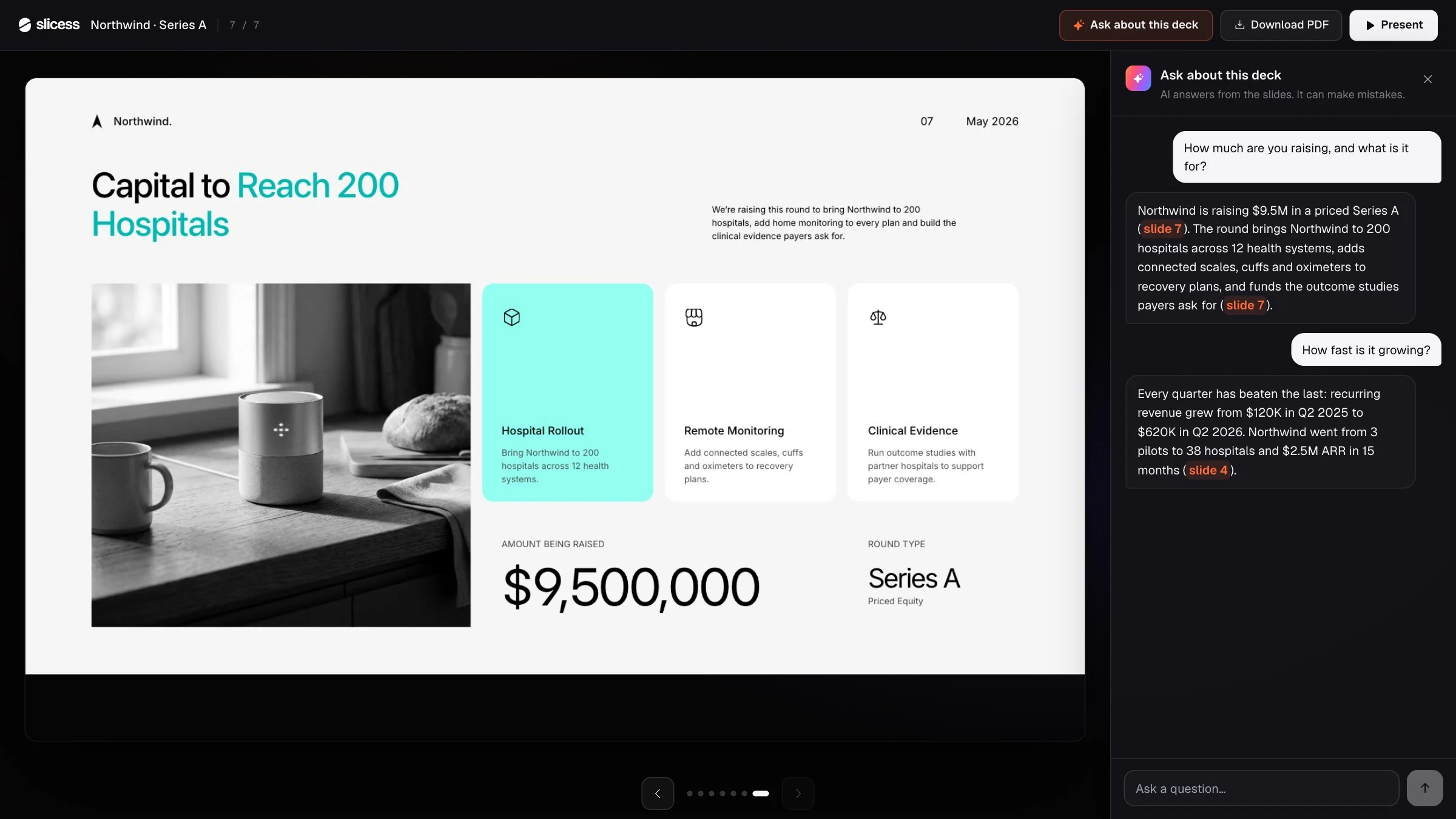
Turn on the share link and send it, or show its QR code. People open the deck in any browser, on a phone or a laptop, without an account. Turn the link off and it stops working.
Share links and QR codes on every plan · Ask AI and viewer stats on Pro and up
What people see
Your deck, in any browser.
In the Share dialog
You decide who sees it, and what they can do.
Link and QR code
Turn the view-only link on or off, copy it, and download its QR code for your last slide or a printout. Choose whether people can save a PDF.
Present, share and exportAsk AI
On Pro and up, people with the link ask questions and AI answers from your slides, linking each slide it used.
Present live and Ask AIViewers
On Pro and up, see how many people opened the link, how long they spent on each slide, and what they asked.
How it works
Share a deck in three steps.
Turn on the link
Press Share, open Link and turn on the share link. Choose whether people can download a PDF.
Send it or show it
Paste the link into an email or a chat, or download its QR code for your last slide or a handout.
See what happened
On Pro and up, Viewers shows how many people opened the link, how long they spent on each slide and what they asked.
What you get
Sharing that stays in your hands.
You choose who can open the deck and what they can do with it, and you can change your mind.
- A view-only link: people can look and present, but never edit
- Opens in any browser, on a phone or a laptop, with no account
- Turn the link off and it stops working
- A QR code for every link, ready to download as a PNG
- Allow or block PDF download for each deck
- Hidden slides stay hidden on the link
- Invite people by email to view or comment; they sign in to open the deck
- Ask AI and viewer stats on Pro and up
| Plans | Share links, QR codes, PDF download and invites on every plan; Ask AI and viewer stats on Pro and up |
| Viewers need | A browser. No account for the link; people you invite sign in |
| Editing | Nobody with the link can change the deck |
| Badge | Decks shared from Free show a small “Made with Slicess” badge; Pro and up remove it |
Questions
Sharing a deck, answered.
Do people need an account to open the link?
Can people edit my deck from the link?
How do I stop sharing?
Can people download the deck?
Can I see how many people opened it?
Can I present on a video call instead?
More with Slicess
More for presenting and sharing.
Make a deck worth sharing.
Describe it, drop in your sources, and get a real canvas back in about a minute. Free to start.
1,000 free credits every month · No card needed