The fastest way to redesign an old PowerPoint is to import it into Slicess, apply your brand, redesign the weakest slides with Edit with AI, and export it back as an editable .pptx. If you want a completely new deck instead, save it as a PDF and build a new one from it.
Two ways to start
| Import the deck | Rebuild from a PDF | |
|---|---|---|
| What you get | Your slides, editable, ready to restyle one by one | A new deck built from the old one’s content |
| What comes over | Text, shapes, pictures, tables, charts, backgrounds, speaker notes and hidden slides | The content, rewritten onto new slides |
| Plans | Pro, Ultra and Business | Every plan |
Import and redesign
- On Home, click Import next to Attach, or drop the .pptx on the prompt box. Files up to 50 MB work, and so does a Google Slides link that anyone can view.
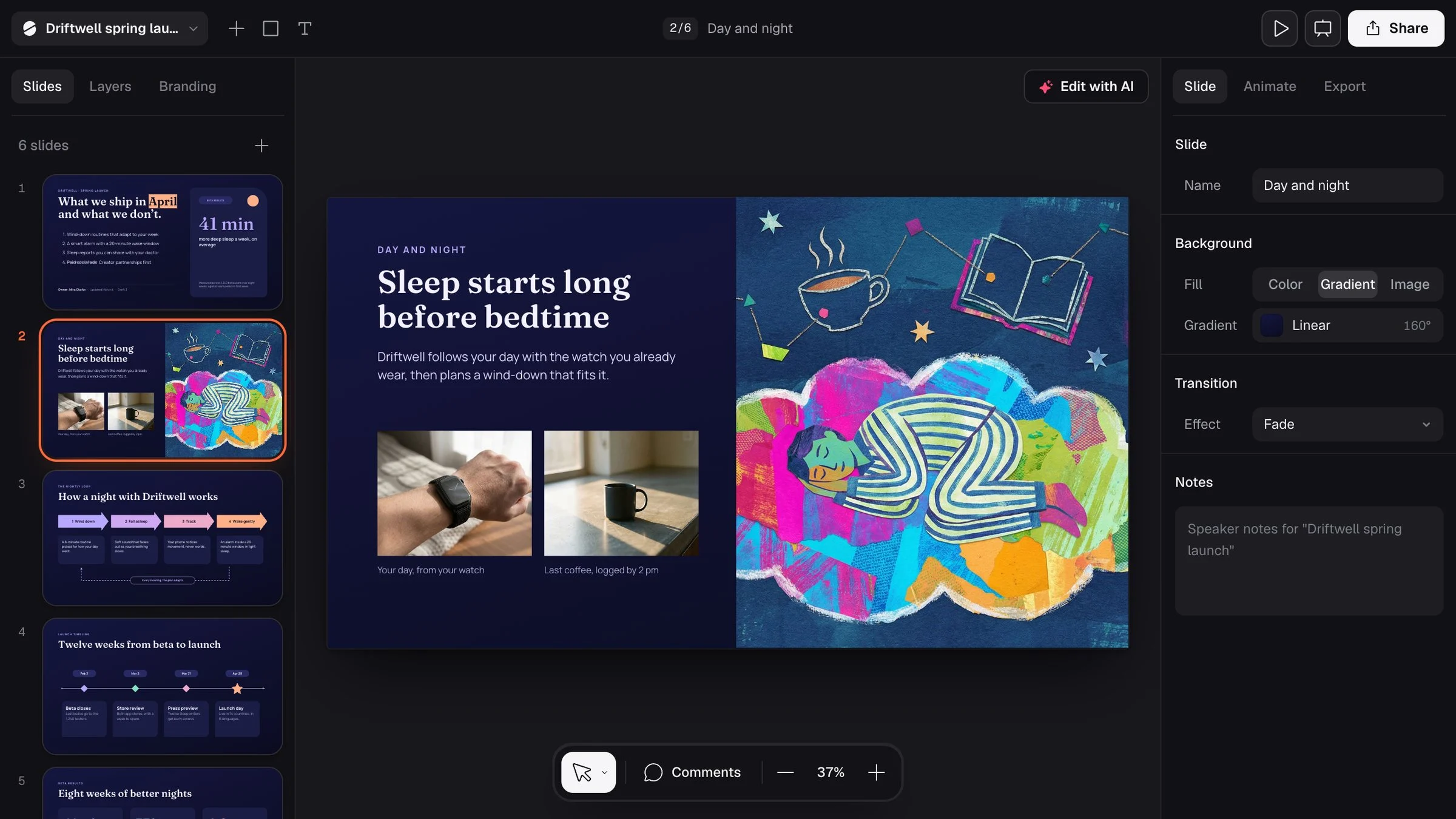
- Open the Branding tab and pick your brand, so colors, fonts and logo match across the deck. See Set up your Brand Kit.
- Find the weakest slides first, usually the ones with the most text. Select one, press Edit with AI and ask for what you want: “a cleaner layout”, “turn this into three cards”, “add a chart from this table”.
- Use On all slides for changes that apply everywhere, like shortening the writing or fixing spelling.
- Polish by hand on the canvas, then open Export and choose PowerPoint (.pptx) to take it back to PowerPoint or Google Slides.
What to fix first
- Titles. Turn labels like “Results” into sentences that state the point. See Write slide titles that do the work.
- Walls of text. Ask Edit with AI to make the slide shorter, or to turn it into steps, cards or big numbers.
- Tables of numbers. One chart usually says more. See Numbers on slides.
- Mixed styles. Applying one brand fixes clashing fonts and colors in one go.
Rebuild from a PDF instead
In PowerPoint, choose File → Save As → PDF. Attach the PDF in Slicess with a line like “Redesign this deck for a client meeting, keep all the numbers” and press Generate. You get a new deck from the same content, on any plan.